Skip to content
Coffee Tasting
Menu

Cupping app and coffee tasting journal

Name what’s in your cup.

Coffee Tasting replaces the paper cupping sheet. Set up a tasting, add each coffee, and record what you smell and taste, field by field, with more than 250 flavor and character terms to help you find the word.

  • Get it on Google Play
  • Coming soon to the App Store

Free to download · up to three tastings free · Premium unlocks unlimited

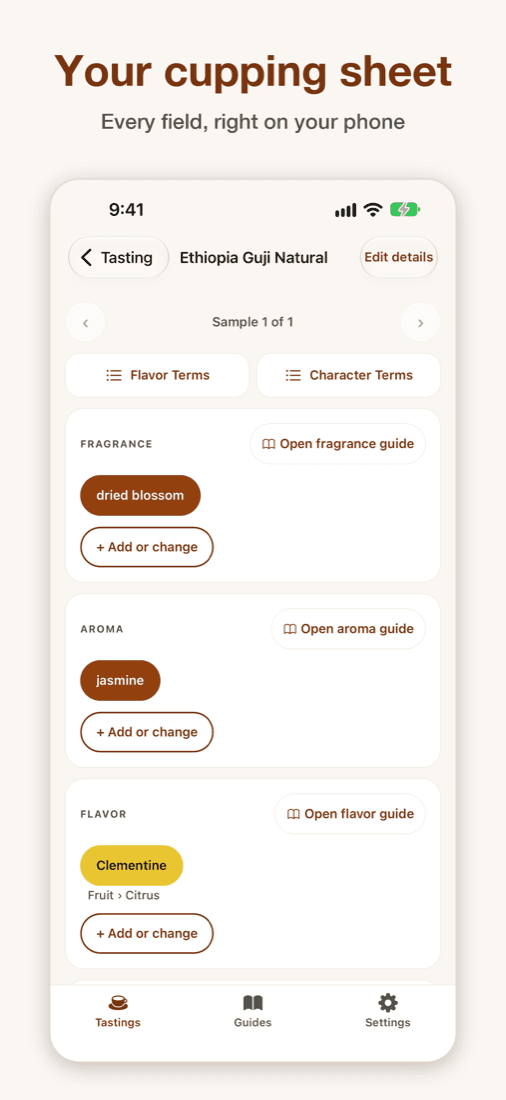
Coffee Tasting app: the cupping sheet for an Ethiopia Guji Natural with fragrance, aroma and flavor notes picked

What is Coffee Tasting?

Coffee Tasting is a coffee cupping app for Android, coming soon to iPhone and iPad, made by J&H Technology. It records the attributes on a professional cupping sheet (fragrance, aroma, flavor, aftertaste, acidity, mouthfeel, uniformity, clean cup, balance, sweetness and overall) and helps you name flavors by drilling down from broad families like Fruit to specific notes like Clementine. Use it alone, or run a group tasting where everyone records on their own phone.

Two ways to taste

Solo for your own journal. Group for the cupping table.

Solo tasting

Set up a tasting, add as many coffees as you like and record each one field by field. Everything saves as you go and stays on your device. No sign-up needed, and it works offline.

  • Fragrance
  • Aroma
  • Flavor
  • Aftertaste
  • Acidity
  • Mouthfeel
  • Uniformity
  • Clean Cup
  • Balance
  • Sweetness
  • Overall
See all features

Group tasting

Host a session, add up to 12 coffees and share a six-character code. Up to 20 people taste on their own phones. You see progress live, open the Characteristic Wall one coffee at a time, then reveal what each coffee was.

  • Joining is free, with no account or subscription.
  • Hosting needs a free account and Premium.
How group tasting works
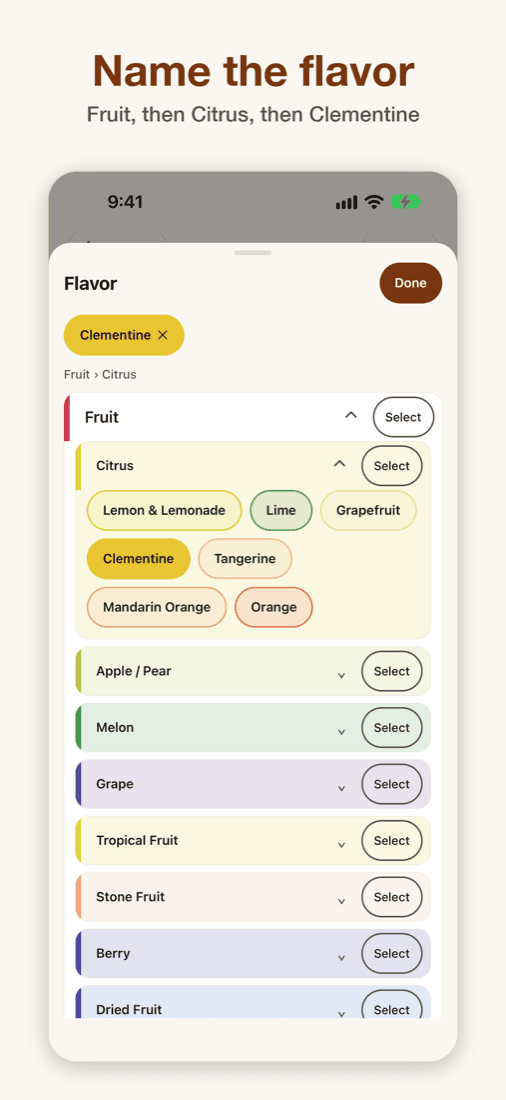
Coffee Tasting app: picking a flavor by drilling down from Fruit to Citrus to Clementine

Can’t name the note? Drill down.

Fruit, then Citrus, then Clementine.

Start broad and go as specific as you can. Stop at Citrus if that’s as far as you’re sure of. It is the method flavor wheels teach, built into a picker. Every field is a pick from a list, so typing is never required, and if the word you want isn’t there, add your own. It comes back as a suggestion next time.

How to use a coffee flavor wheel

Built for the cupping table

Everything a tasting needs, nothing it doesn’t.

  • Every field on the sheet

    Fragrance to Overall, plus aftertaste length, acid type, body and texture. Free-form notes for anything else.

  • 250+ tasting terms built in

    Flavor Terms and Character Terms guides, one tap from any field, from fruit and florals to body and finish.

  • Optional scores

    Words first. Add a score from 6.00 to 10.00 in quarter steps on five fields when you want one.

  • Private by design

    No account needed for solo tasting. Optional sign-in and backup carry your tastings to a new phone. No ads, no tracking.

  • Made for the table

    Several coffees per session, with name, region, species and where to buy. Saves as you go, works offline.

  • Accessible

    Light and dark mode, Dynamic Type and VoiceOver on iPhone, large text and TalkBack on Android.

Learn to taste

In-depth guides

Taste it, name it, keep it.

Free to download. Save up to three tastings free.

  • Get it on Google Play
  • Coming soon to the App Store